01
Define
Select the path, symbol, crossing or warning that needs to be communicated.

Projected pathways, crossings, arrows, symbols and warnings that create highly visible guidance without relying only on paint or static signs.
Best fit: Dynamic walkways, crossings, symbols and floor warnings.

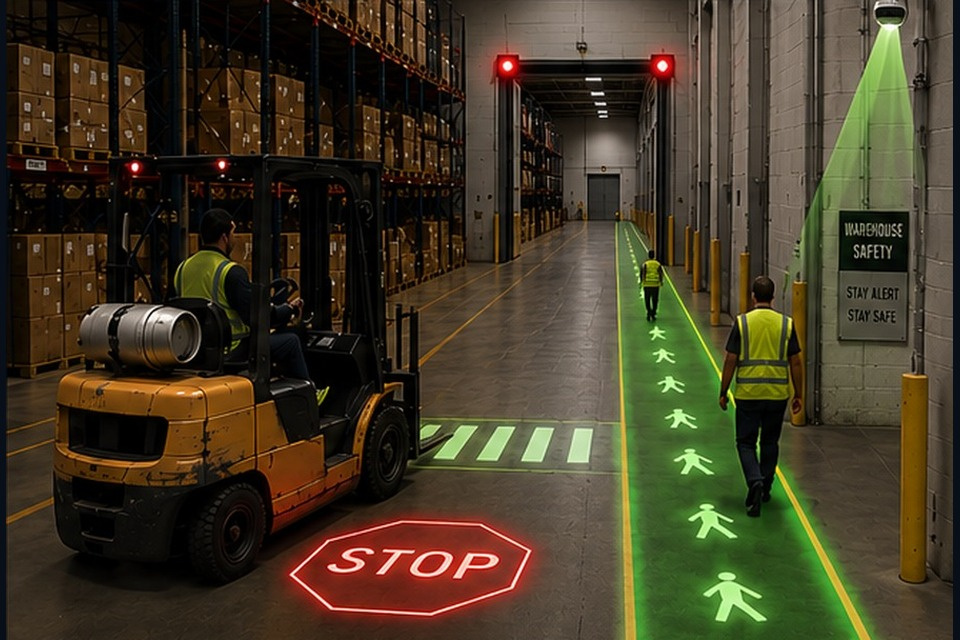
Projected pathways, crossings, arrows, symbols and warnings that create highly visible guidance without relying only on paint or static signs.
The exact sequence is configured for the application, but the system logic commonly follows this pattern.
Select the path, symbol, crossing or warning that needs to be communicated.
Overhead industrial projectors create a highly visible floor graphic.
Optional sensors or controls can change or activate graphics based on traffic conditions.
Projection can work with signals, crossings, barriers or other SOS technologies.
The final bill of materials depends on the site, but these are common components in this solution family.
Mounting height, ambient light, projected width, floor color, graphic size, obstruction risk and whether the image is static or condition-driven determine projector selection and placement.
The final design depends on traffic, visibility, equipment and operating logic, but these are common application types.
Pedestrian walkways
Temporary or changing traffic routes
High-visibility crossings
Staging guidance
Vehicle stop zones
Many applications combine more than one SOS solution family.
A crossing, blind spot, dock, traffic control or mobile equipment problem may use more than one SOS solution family. SOS can help evaluate the application before you choose the technology.
Share the traffic pattern, facility area or operating challenge and SOS can help evaluate the right combination of technology and controls.